





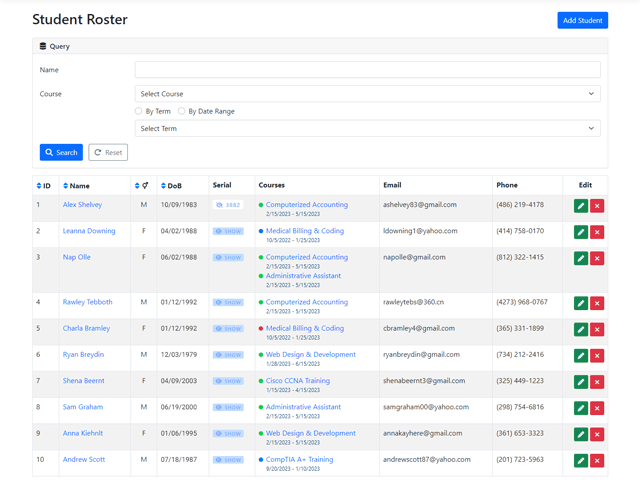
Student Roster
The roster is the main page of the application and displays a table of student records, along with a query form, which can be used to search for students by name and course. The records can also be sorted according to specific information by clicking on the relevant column names. With the current backend and UI, the app can conceivably support tens of thousands of records, and in fact already stores over a thousand at the present moment, with no trouble at all. After exceeding a certain number of records (currently set at 100), the roster conveniently breaks the table up into multiple pages. Each table item provides links to view, edit, or delete the given student record, and the button displayed at the very top of the page can be used to add new students to the database.
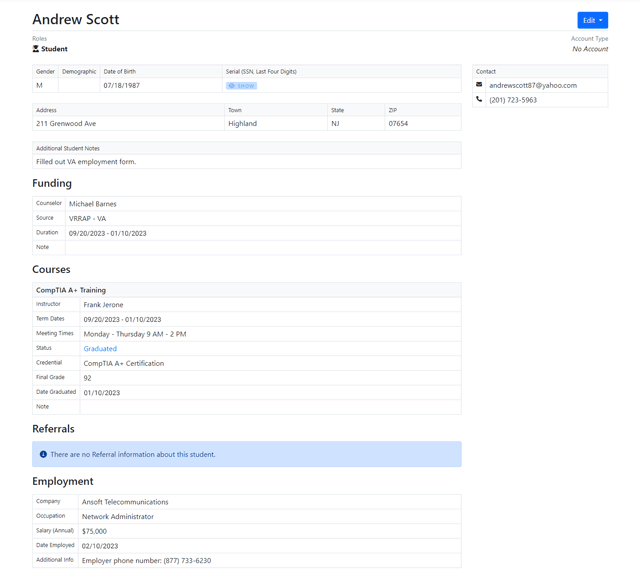
Student Profile Page
Clicking on the name of a student within the roster table takes us to their profile page, where we can see ALL of the information about the student in an easy-to-print format. Besides basic personal and course info, the app also stores data about the student's funding and employment after graduation (features, which were particularly important to the school). If new info ever needs to be added to an existing student record, it can be done so through the Edit form - accessible using the button at the top of the page.
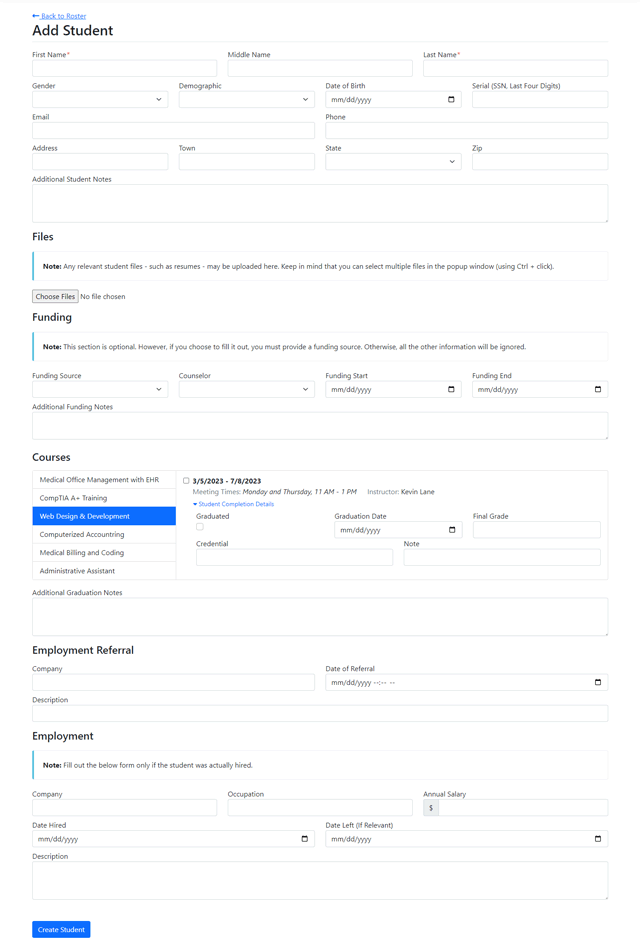
Adding Students
New student records can be inserted into the database by clicking on the 'Add Student' button at the top of the roster or a link in the main menu. The Add Student page includes a very large form, but many of its fields are entirely optional. The school can, for example, create a student record by supplying only the name and contact info when the person initially expresses interest in signing up for a course. Then, once the student officially joins a course, their record can be amended with more information. Everything has been designed in accordance with the school’s preferences to make record-keeping as convenient as possible.
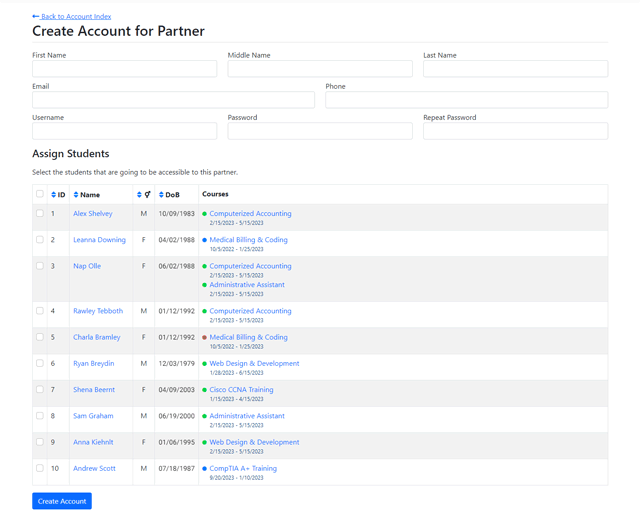
Partner Accounts
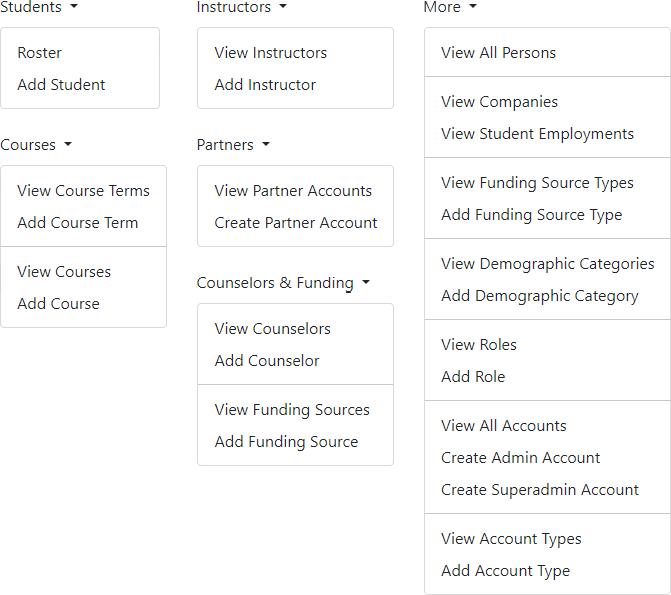
The app has a few different types of accounts, which vary in terms of what records they can view and edit. One custom feature that the school requested was the ability to create 'partner' accounts for third parties. This feature is most useful for providing temporary access to financial aid counselors, who need to keep track of student performance in order to disperse funding. The school's admins can create these read-only accounts for such officials, and then specifically select which student profiles they will be able to view, to ensure that anyone given access to the database is properly vetted, and is able to view only the records that they need - no more, no less.
Database Design
The app stores a wide range of data: not just about students, but about instructors, courses, accounts and much more! The UI allows for all of these records to be added, edited, and removed (though, not by all types of accounts). A significant part of the design process involved managing complexity. For example, student and instructor tables, both of which needed to contain personal contact information, had the relevant fields extrapolated into a person table to prevent duplicate columns. Fetching and displaying data, therefore, often relied on joining various tables together; so, another aspect of the challenge involved regulating the total number of tables required in order to keep PostgreSQL queries simple. Given the interconnectedness of the data, this process was a delicate balancing act.